MSI Thin GF63 vs Razer Blade 18

The Verdict
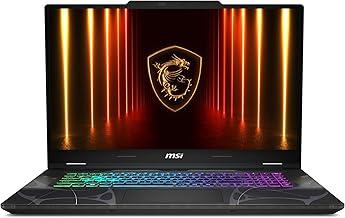
MSI Thin GF63 delivers solid gaming performance at an exceptional price point, featuring a 12th Gen i5-12450H processor, RTX 4050 GPU, and a snappy 144Hz 1080p display. Battery life reaches 7 hours, supporting moderate productivity alongside gaming. Razer Blade 18 represents a premium tier with a 13th Gen i9-13950HX, substantially more RAM (32GB DDR5 vs 8GB DDR4), faster storage (Gen 4 NVMe), and an impressive 18-inch 240Hz 2560x1600 display with 500 nits brightness. However, the Razer's 3.06kg weight and 5-hour battery life compromise portability. For budget-conscious gamers seeking 1080p performance and portability, the MSI excels at nearly a quarter the cost. Serious content creators and esports enthusiasts prioritizing screen real estate, color accuracy, and processing power should opt for the Razer, despite the significant premium.
Who Should Buy
Buy the MSI Thin GF63 if…
- →Affordable entry to RTX 40-series gaming at $699
- →144Hz display for smooth gameplay in esports titles
- →Lightweight at 1.86 kg for a 15.6-inch gaming laptop
Buy the Razer Blade 18 if…
- →RTX 4090 Laptop GPU in Razer's premium CNC aluminum unibody build
- →18-inch QHD+ 240Hz display fills the field of view for immersive gaming
- →Premium build quality — feels like a MacBook Pro for gamers
Category Scores
Pros & Cons
MSI Thin GF63
Pros
- Affordable entry to RTX 40-series gaming at $699
- 144Hz display for smooth gameplay in esports titles
- Lightweight at 1.86 kg for a 15.6-inch gaming laptop
- Good port selection including Ethernet and three USB-A ports
- Expandable storage with an extra M.2 slot
Cons
- 250-nit display brightness is very dim — poor outdoor visibility
- Only 8 GB RAM — needs immediate upgrade for modern gaming
- Build quality is plastic-heavy and feels budget
- Fan noise is significant during gaming sessions
- Battery life is poor at around 4-5 hours real-world use
Razer Blade 18
Pros
- RTX 4090 Laptop GPU in Razer's premium CNC aluminum unibody build
- 18-inch QHD+ 240Hz display fills the field of view for immersive gaming
- Premium build quality — feels like a MacBook Pro for gamers
- Dual Thunderbolt 4, three USB-A, HDMI, and SD card — outstanding ports
- Per-key RGB Chroma keyboard with great tactile feedback
Cons
- 6.75 lbs and massive — not remotely portable
- $2,899 starting price with RTX 4090 configs exceeding $3,500
- 5-hour battery life means the 280W charger is always needed
- Razer reliability concerns — QC issues are frequently reported
- Fan noise under full load is aggressive
Full Specifications
| Spec | MSI Thin GF63 | Razer Blade 18 |
|---|---|---|
| Software | Windows 11 Home | Windows 11 Home |
| Gpu | NVIDIA GeForce RTX 4050 (6 GB) | — |
| Body | ||
| Weight | 1.86 kg | 6.75 lbs (3.06 kg) |
| Material | Aluminum lid, plastic body | CNC aluminum unibody |
| Dimensions | 359 x 254 x 21.7 mm | 15.75 x 11.04 x 0.86 inches |
| Ports | ||
| HDMI | 1 | |
| USB-A ports | 3 | 3 |
| USB-C ports | 1 | 2 |
| Ethernet | — | |
| Headphone Jack | — | |
| SD card | — | |
| Thunderbolt ports | — | 2 |
| Battery | ||
| Battery life | Up to 7 hours | Up to 5 hours |
| Capacity | 52.4 Wh | 91.7 Wh |
| Display | ||
| Size | 15.6 inches | 18 inches |
| Type | IPS LCD | IPS |
| Resolution | 1920 x 1080 | 2560 x 1600 |
| Refresh rate | 144Hz | 240Hz |
| Brightness (nits) | 250 | 500 |
| Storage | ||
| SSD | 512 GB PCIe Gen 3 NVMe | 1 TB PCIe Gen 4 NVMe (dual slot) |
| Expandable storage | ||
| Keyboard | ||
| Backlit | ||
| Processor | ||
| RAM | 8 GB DDR4 | 32 GB DDR5 |
| Cores | 8-core (4P + 4E) | 24 cores (8P + 16E) |
| Chipset | 12th Gen Intel Core i5-12450H | Intel Core i9-13950HX (13th Gen) |
Related Comparisons
This comparison is based on verified manufacturer specifications covering display, performance, camera, battery, and build quality. Scores are generated by analyzing specs across weighted categories on a 10-point scale. Learn more about our methodology.
Explore more in laptops, see all MSI products or all Razer products. View full details for the MSI Thin GF63 or the Razer Blade 18.
Press ? for keyboard shortcuts