Microsoft Surface Go 3 vs Samsung Galaxy Tab S7 FE
The Verdict
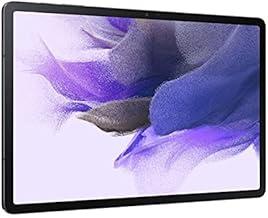
Microsoft Surface Go 3 targets productivity users needing Windows compatibility, while Samsung Galaxy Tab S7 FE prioritizes media consumption and Android flexibility. Surface Go 3 features a smaller 10.5-inch PixelSense display but excels with Windows 11 Pro option and dual-core Intel processors starting at modest specs. Galaxy Tab S7 FE counters with a larger 12.4-inch display, superior 2560x1600 resolution, more capable Snapdragon 778G processor, and longer 13-hour battery life. Storage expands further on Samsung up to 256GB. Both support styluses and Wi-Fi 6. Surface Go 3 wins for traditional computing tasks and Office productivity, while Tab S7 FE dominates for entertainment, reading, and creative apps. Budget-conscious buyers seeking Windows should choose Surface Go 3; those wanting a larger screen and Android ecosystem should pick Galaxy Tab S7 FE.
Who Should Buy
Buy the Microsoft Surface Go 3 if…
- →Most portable Windows device at 544 g with built-in kickstand
- →Full Windows 11 runs desktop apps not available on iPad or Android
- →Affordable entry into the Surface ecosystem at $399
Buy the Samsung Galaxy Tab S7 FE if…
- →Large 12.4-inch display is great for productivity and media
- →S Pen included in the box for note-taking and drawing
- →10090 mAh battery provides excellent all-day endurance
Category Scores
Pros & Cons
Microsoft Surface Go 3
Pros
- Most portable Windows device at 544 g with built-in kickstand
- Full Windows 11 runs desktop apps not available on iPad or Android
- Affordable entry into the Surface ecosystem at $399
- LTE option for always-connected productivity
- MicroSD expansion and headphone jack included
Cons
- Pentium/i3 processors struggle with anything beyond light tasks
- 64 GB eMMC base storage is painfully slow and limited
- 10.5" screen feels cramped for Windows desktop apps
- 4 GB RAM base model is barely usable with modern Windows
- Type Cover and pen still sold separately
Samsung Galaxy Tab S7 FE
Pros
- Large 12.4-inch display is great for productivity and media
- S Pen included in the box for note-taking and drawing
- 10090 mAh battery provides excellent all-day endurance
- MicroSD expansion up to 1 TB for additional storage
- Samsung DeX support for desktop-like multitasking
Cons
- 60Hz TFT LCD feels sluggish compared to 120Hz AMOLED tablets
- 4 GB base RAM is restrictive for multitasking
- Snapdragon 778G is mid-range — not ideal for heavy tasks
- No AMOLED display despite premium pricing
- Software updates are reaching end of support
Full Specifications
| Spec | Microsoft Surface Go 3 | Samsung Galaxy Tab S7 FE |
|---|---|---|
| Software | Windows 11 Home (S Mode) / Pro | Android 11 (One UI 3.1) |
| Body | ||
| Weight | 544 g | 608 g |
| Dimensions | 245 x 175 x 8.3 mm | 284.8 x 185 x 6.3 mm |
| Battery | ||
| Battery life | Up to 11 hours (typical usage) | Up to 13 hours video playback |
| Capacity | 28 Wh | 10090 mAh |
| Display | ||
| Size | 10.5 inches | 12.4 inches |
| Type | PixelSense IPS | TFT LCD |
| Resolution | 1920 x 1280 | 2560 x 1600 |
| Refresh rate | 60Hz | 60Hz |
| Storage | ||
| Storage options | 64 GB eMMC, 128 GB SSD | 64 GB, 128 GB, 256 GB |
| Expandable storage | ||
| Processor | ||
| RAM | 4 GB / 8 GB | 4 GB / 6 GB |
| Chipset | Intel Pentium Gold 6500Y / Intel Core i3-10100Y (Dual-core) | Qualcomm Snapdragon 778G |
| Connectivity | ||
| USB | 1x USB-C | USB-C 3.2 |
| Wi-Fi | Wi-Fi 6 | Wi-Fi 6 |
| Cellular | ||
| Stylus Support | ||
Related Comparisons
This comparison is based on verified manufacturer specifications covering display, performance, camera, battery, and build quality. Scores are generated by analyzing specs across weighted categories on a 10-point scale. Learn more about our methodology.
Explore more in tablets, see all Microsoft products or all Samsung products. View full details for the Microsoft Surface Go 3 or the Samsung Galaxy Tab S7 FE.