Lenovo ThinkPad X1 Carbon Gen 11 vs Microsoft Surface Laptop Studio 2

The Verdict
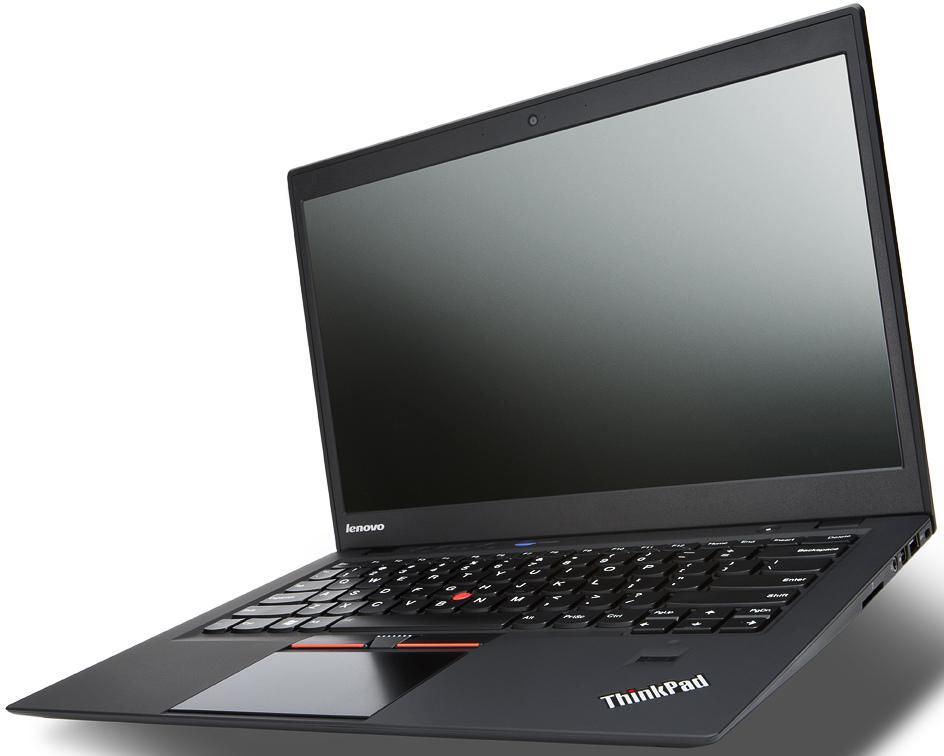
Both laptops target professionals, but serve different needs. The ThinkPad X1 Carbon Gen 11 excels at portability, weighing just 1.12 kg compared to the Surface Laptop Studio 2's heavier 1.98 kg frame. Its OLED option delivers 90Hz refresh rates and superior contrast, though the base IPS model tops out at 60Hz and 500 nits brightness. The X1 Carbon offers up to 32GB RAM with the i7-1370P, better suited for multitasking, while the Surface Laptop Studio 2 maxes at 16GB with a stronger i7-13700H processor (14 cores vs. 10-14 depending on configuration), making it superior for GPU-intensive creative work. Battery life is comparable: the X1 Carbon achieves 15 hours on IPS or 10 hours on OLED, while the Studio 2 reaches 16 hours. Port selection favors the X1 Carbon with two full-size USB-A slots plus HDMI, whereas the Studio 2 offers SD card and removable storage but omits HDMI entirely. At $1449, the X1 Carbon provides better value for ultraportable productivity. The Studio 2's $1999 price tag makes sense only if you need its superior CPU performance and touchscreen for creative applications. For most users prioritizing mobility and flexibility, the ThinkPad wins.
Who Should Buy
Buy the Lenovo ThinkPad X1 Carbon Gen 11 if…
- →Incredibly light at 1.12 kg — ideal for travel
- →Optional 2.8K OLED display is stunning for media and creative work
- →Best-in-class ThinkPad keyboard with excellent key travel
Buy the Microsoft Surface Laptop Studio 2 if…
- →Unique pull-forward display hinge converts to stage and studio modes
- →120Hz PixelSense Flow touch display with excellent Slim Pen 2 support
- →NVIDIA RTX 4060 Laptop GPU option for creative and light gaming workloads
Category Scores
Pros & Cons
Lenovo ThinkPad X1 Carbon Gen 11
Pros
- Incredibly light at 1.12 kg — ideal for travel
- Optional 2.8K OLED display is stunning for media and creative work
- Best-in-class ThinkPad keyboard with excellent key travel
- MIL-STD 810H tested for ruggedness and durability
- Good port selection includes USB-A, HDMI, and Thunderbolt 4
Cons
- OLED option significantly reduces battery life to around 10 hours
- 60Hz IPS panel feels behind the times
- Starting price of $1449 is expensive for the base config
- Soldered RAM limits upgradeability
- Integrated graphics only — not suitable for GPU-heavy workloads
Microsoft Surface Laptop Studio 2
Pros
- Unique pull-forward display hinge converts to stage and studio modes
- 120Hz PixelSense Flow touch display with excellent Slim Pen 2 support
- NVIDIA RTX 4060 Laptop GPU option for creative and light gaming workloads
- Removable SSD for easy storage upgrades and data migration
- Dual Thunderbolt 4 and USB-A — good port variety for Surface lineup
Cons
- 4.37 lbs is heavy for a 14.4-inch laptop
- Hinge mechanism limits maximum screen angle in clamshell mode
- $1,999 is expensive — RTX-equipped models cost much more
- No HDMI port despite the high price
- Keyboard deck wobbles slightly in studio mode
Full Specifications
| Spec | Lenovo ThinkPad X1 Carbon Gen 11 | Microsoft Surface Laptop Studio 2 |
|---|---|---|
| Software | Windows 11 Pro | Windows 11 Pro |
| Body | ||
| Weight | 1.12 kg | 4.37 lbs (1.98 kg) |
| Material | Carbon fiber and magnesium alloy | Magnesium and aluminum |
| Dimensions | 315.6 x 222.5 x 15.36 mm | 12.72 x 8.98 x 0.86 inches |
| Ports | ||
| HDMI | 1 | |
| USB-A ports | 2 | 1 |
| Thunderbolt ports | 2 | 2 |
| Headphone Jack | — | |
| USB-C ports | — | 2 |
| SD card | — | |
| Battery | ||
| Battery life | Up to 15 hours (IPS) / 10 hours (OLED) | Up to 16 hours |
| Capacity | 57 Wh | 58 Wh |
| Display | ||
| Size | 14 inches | 14.4 inches |
| Type | OLED (IPS optional) | PixelSense Flow touch |
| Resolution | 2880 x 1800 | 2400 x 1600 |
| Refresh rate | 60Hz (90Hz OLED) | 120Hz |
| Brightness (nits) | 500 | 500 |
| Storage | ||
| SSD | 512 GB / 1 TB PCIe Gen 4 NVMe | 512 GB removable SSD |
| Expandable storage | ||
| Keyboard | ||
| Backlit | ||
| Processor | ||
| RAM | 16 GB / 32 GB LPDDR5x | 16 GB LPDDR5 |
| Cores | 10-core (2P + 8E) / 14-core (6P + 8E) | 14 cores (6P + 8E) |
| Chipset | 13th Gen Intel Core i7-1365U / i7-1370P | Intel Core i7-13700H (13th Gen) |
Want to compare a third product?
Add another product for a 3-way comparison.
Related Comparisons
- Lenovo ThinkPad X1 Carbon Gen 11 vs Apple MacBook Pro 16" M5 Pro
- Microsoft Surface Laptop Studio 2 vs Apple MacBook Pro 16" M5 Pro
- Lenovo ThinkPad X1 Carbon Gen 11 vs Apple MacBook Pro 14" M5 Pro
- Microsoft Surface Laptop Studio 2 vs Apple MacBook Pro 14" M5 Pro
- Lenovo ThinkPad X1 Carbon Gen 11 vs Framework Laptop 16 (AMD Ryzen AI 300)
- Microsoft Surface Laptop Studio 2 vs Framework Laptop 16 (AMD Ryzen AI 300)
This comparison is based on verified manufacturer specifications covering display, performance, camera, battery, and build quality. Scores are generated by analyzing specs across weighted categories on a 10-point scale. Learn more about our methodology.
Explore more in laptops, see all Lenovo products or all Microsoft products. View full details for the Lenovo ThinkPad X1 Carbon Gen 11 or the Microsoft Surface Laptop Studio 2.