Huion Kamvas Pad 12 vs Microsoft Surface Pro 9

How They Compare
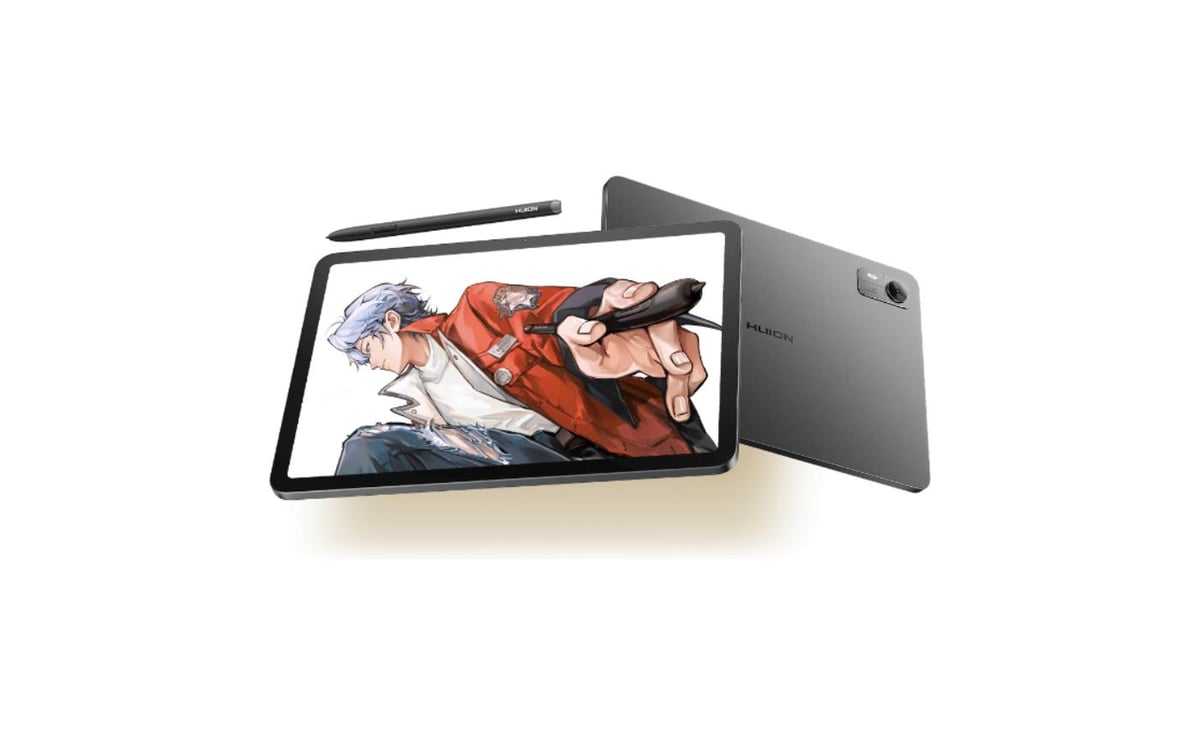
The Huion Kamvas Pad 12 and Microsoft Surface Pro 9 sit in the same category and end up appealing to slightly different buyers. The Huion Kamvas Pad 12 is the cheaper of the two at $499 versus $999, a difference of about $500. The spec table below ranks 6 of their differences, and they do not all point the same way: the Huion Kamvas Pad 12 wins on weight (665g vs 879 g), the Microsoft Surface Pro 9 on screen size (13 inches vs 12.2-inch) and refresh rate (120Hz vs 90Hz). The Huion Kamvas Pad 12 is the newer of the two, released in 2026 against 2022. The pros lists below lead with — Huion Kamvas Pad 12: Standalone Android tablet, no host computer needed for drawing; Microsoft Surface Pro 9: Full Windows 11 experience in a tablet form factor. Use the side-by-side spec table below to compare display, processor, battery and storage in detail and decide which one fits your priorities.
Who Should Buy
Buy the Huion Kamvas Pad 12 if…
- →Standalone Android tablet, no host computer needed for drawing
- →16,384 pressure levels with a battery-free EMR pen
- →99% sRGB on a laminated 3:2 panel suited to art work
Buy the Microsoft Surface Pro 9 if…
- →Full Windows 11 experience in a tablet form factor
- →120Hz PixelSense Flow display is sharp and smooth
- →Thunderbolt 4 on Intel models for pro connectivity
Pros & Cons
Huion Kamvas Pad 12
Pros
- Standalone Android tablet, no host computer needed for drawing
- 16,384 pressure levels with a battery-free EMR pen
- 99% sRGB on a laminated 3:2 panel suited to art work
- microSD expansion and a 8,000 mAh battery
Cons
- 350 nits peak is dim for outdoor or bright-room use
- MediaTek Genio 720 is weak next to mainstream tablet silicon
- 665g is heavy to hold while drawing
- Android art app support is thinner than iPadOS
Microsoft Surface Pro 9
Pros
- Full Windows 11 experience in a tablet form factor
- 120Hz PixelSense Flow display is sharp and smooth
- Thunderbolt 4 on Intel models for pro connectivity
- Removable SSD for easy storage upgrades and data security
- Versatile kickstand adapts to any angle for laptop or studio mode
Cons
- Type Cover keyboard and Slim Pen sold separately — adds $300+
- Fanless design throttles under sustained heavy workloads
- SQ3 (ARM) model has app compatibility issues
- Base $999 only gets i5/8 GB/128 GB — underpowered for the price
Full Specifications
| Spec | Huion Kamvas Pad 12 | Microsoft Surface Pro 9 |
|---|---|---|
| Software | Android 16 | Windows 11 Home / Pro |
| Body | ||
| Weight | 665g | 879 g |
| Dimensions | 281.5 x 195.5 x 7.8 mm | 287 x 209 x 9.3 mm |
| Tilt | 60 degrees | — |
| Stylus | PW600C, PenTech 4.0, battery-free EMR | — |
| Battery | ||
| Capacity | 8000 mAh | 47.7 Wh |
| Battery life | — | Up to 15.5 hours (typical usage) |
| Cameras | ||
| Rear | 13MP | — |
| Front camera | 8MP | — |
| Display | ||
| Overview | 12.2-inch laminated LCD, 2400 x 1600, 3:2 | — |
| Size | 12.2-inch | 13 inches |
| Type | LCD | PixelSense Flow IPS |
| Resolution | 2400 x 1600 | 2880 x 1920 |
| Refresh rate | 90Hz | 120Hz |
| Brightness (nits) | 350 nits | — |
| Storage | ||
| Storage options | 256GB | 128 GB, 256 GB, 512 GB, 1 TB |
| Expandable storage | Not stated | |
| Speakers | quad speakers | — |
| Processor | ||
| RAM | 8GB | 8 GB / 16 GB / 32 GB |
| Chipset | MediaTek Genio 720 (6nm) | Intel Core i5-1235U / i7-1255U (or Microsoft SQ3 for 5G) |
| Color Gamut | 99% sRGB | — |
| Report Rate | 260 PPS | — |
| Connectivity | ||
| Bluetooth | 5.4 | — |
| USB | — | 2x USB-C (Thunderbolt 4 on Intel) |
| Wi-Fi | — | Wi-Fi 6E |
| Cellular | Not stated | |
| Pen Resolution | 5800 LPI | — |
| Pressure Levels | 16384 | — |
| Expandable Storage | microSD | — |
| Stylus Support | Not stated | |
Want to compare a third product?
Add another product for a 3-way comparison.
Related Comparisons
- Microsoft Surface Pro 9 vs Apple iPad Pro 11" (M5, 2025)
- Microsoft Surface Pro 9 vs Apple iPad Pro 13" (M5, 2025)
- Microsoft Surface Pro 9 vs Samsung Galaxy Tab S9 Ultra
- Microsoft Surface Pro 9 vs Microsoft Surface Pro 8
- Microsoft Surface Pro 9 vs Microsoft Surface Pro 11 (Tablet)
- Microsoft Surface Pro 9 vs Samsung Galaxy Tab S10 Ultra
Explore more in tablets, see all Huion products or all Microsoft products. View full details for the Huion Kamvas Pad 12 or the Microsoft Surface Pro 9.