HP Envy 16 (2024) vs Lenovo ThinkPad X1 Carbon Gen 13

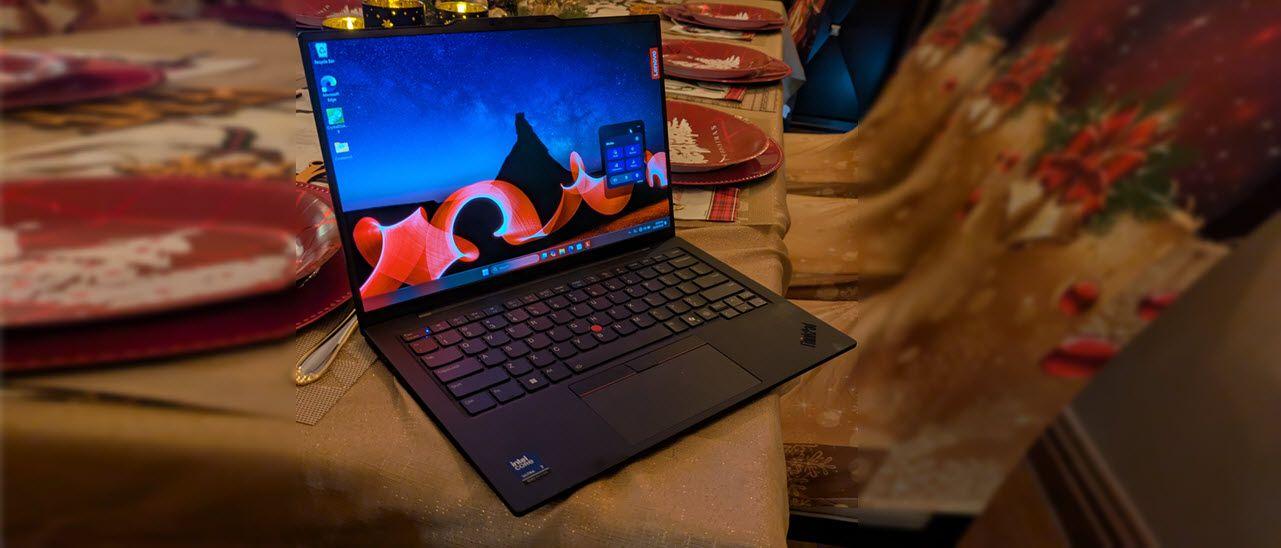
The Verdict
HP Envy 16 excels as a creative workhorse with its larger 16-inch 120Hz touchscreen (2560 x 1600), superior processing power via the 16-core Core Ultra 7 155H, and generous 1TB expandable storage. Lenovo ThinkPad X1 Carbon Gen 13 prioritizes portability and battery endurance, weighing just 1.12kg with an impressive 15-hour runtime—ideal for frequent travelers. Performance-wise, the Envy 16's extra cores handle multitasking and content creation more smoothly, while the ThinkPad's 265V chip offers adequate everyday performance with better efficiency. Display quality favors the Envy's higher resolution and refresh rate for visual tasks, though the ThinkPad's anti-glare coating suits office environments. Battery capacity tells the real story: ThinkPad's superior longevity (57Wh achieving 15 hours) versus Envy's 10-hour claim (83Wh). For professionals needing raw power and screen real estate, choose the Envy 16; ultrabook enthusiasts prioritizing mobility and all-day battery should select the ThinkPad X1 Carbon.
Who Should Buy
Buy the HP Envy 16 (2024) if…
- →Optional NVIDIA RTX 4060 GPU for creative and light gaming workloads
- →Excellent 2.5K 120Hz touchscreen display
- →Comprehensive port selection including SD card reader
Buy the Lenovo ThinkPad X1 Carbon Gen 13 if…
- →Intel Core Ultra 7 with NPU for on-device AI processing
- →Under 2.5 lbs — one of the lightest 14-inch business laptops
- →ThinkPad keyboard remains the gold standard for typing
Category Scores
Pros & Cons
HP Envy 16 (2024)
Pros
- Optional NVIDIA RTX 4060 GPU for creative and light gaming workloads
- Excellent 2.5K 120Hz touchscreen display
- Comprehensive port selection including SD card reader
- User-upgradeable RAM and storage
Cons
- Heavy and bulky for daily portability
- Battery life suffers under GPU load
- Fans get loud during intensive workloads
- Bezel design feels dated next to Spectre line
Lenovo ThinkPad X1 Carbon Gen 13
Pros
- Intel Core Ultra 7 with NPU for on-device AI processing
- Under 2.5 lbs — one of the lightest 14-inch business laptops
- ThinkPad keyboard remains the gold standard for typing
- MIL-STD-810H durability tested for enterprise reliability
- Built-in HDMI port eliminates the need for dongles
Cons
- FHD+ base display is disappointing at $1,449
- LPDDR5X RAM is soldered — not user-upgradeable
- No SD card reader for photographers
- Intel Core Ultra efficiency modes can occasionally stutter
Full Specifications
| Spec | HP Envy 16 (2024) | Lenovo ThinkPad X1 Carbon Gen 13 |
|---|---|---|
| Software | Windows 11 Home | Windows 11 Pro |
| Body | ||
| Weight | 2.34 kg | 2.48 lbs (1.12 kg) |
| Material | Aluminum | Carbon fiber and magnesium |
| Dimensions | 358 x 252 x 19.9 mm | 12.4 x 8.76 x 0.59 inches |
| Ports | ||
| HDMI | 1 | |
| USB-A ports | 2 | — |
| USB-C ports | 2 | 2 |
| SD card | ||
| Thunderbolt ports | 2 | 2 |
| Battery | ||
| Battery life | Up to 10 hours | Up to 15 hours |
| Capacity | 83 Wh | 57 Wh |
| Display | ||
| Size | 16 inches | 14 inches |
| Type | IPS touchscreen | IPS anti-glare |
| Resolution | 2560 x 1600 | 1920 x 1200 |
| Refresh rate | 120Hz | 60Hz |
| Brightness (nits) | 400 | 400 |
| Storage | ||
| SSD | 1 TB | 512 GB PCIe Gen 4 NVMe |
| Expandable storage | ||
| Keyboard | ||
| Backlit | ||
| Processor | ||
| RAM | 16 GB DDR5 | 16 GB |
| Cores | 16 cores | 8 cores (4P + 4E) |
| Chipset | Intel Core Ultra 7 155H | Intel Core Ultra 7 265V |
Related Comparisons
- Lenovo ThinkPad X1 Carbon Gen 13 vs Samsung Galaxy Book4 15"
- Lenovo ThinkPad X1 Carbon Gen 13 vs Samsung Galaxy Book3 Ultra
- Lenovo ThinkPad X1 Carbon Gen 13 vs Razer Blade Stealth 13
- Lenovo ThinkPad X1 Carbon Gen 13 vs MSI Prestige 16 Evo
- Lenovo ThinkPad X1 Carbon Gen 13 vs MSI Katana 15
- Lenovo ThinkPad X1 Carbon Gen 13 vs MSI GE76 Raider
This comparison is based on verified manufacturer specifications covering display, performance, camera, battery, and build quality. Scores are generated by analyzing specs across weighted categories on a 10-point scale. Learn more about our methodology.
Explore more in laptops, see all HP products or all Lenovo products. View full details for the HP Envy 16 (2024) or the Lenovo ThinkPad X1 Carbon Gen 13.