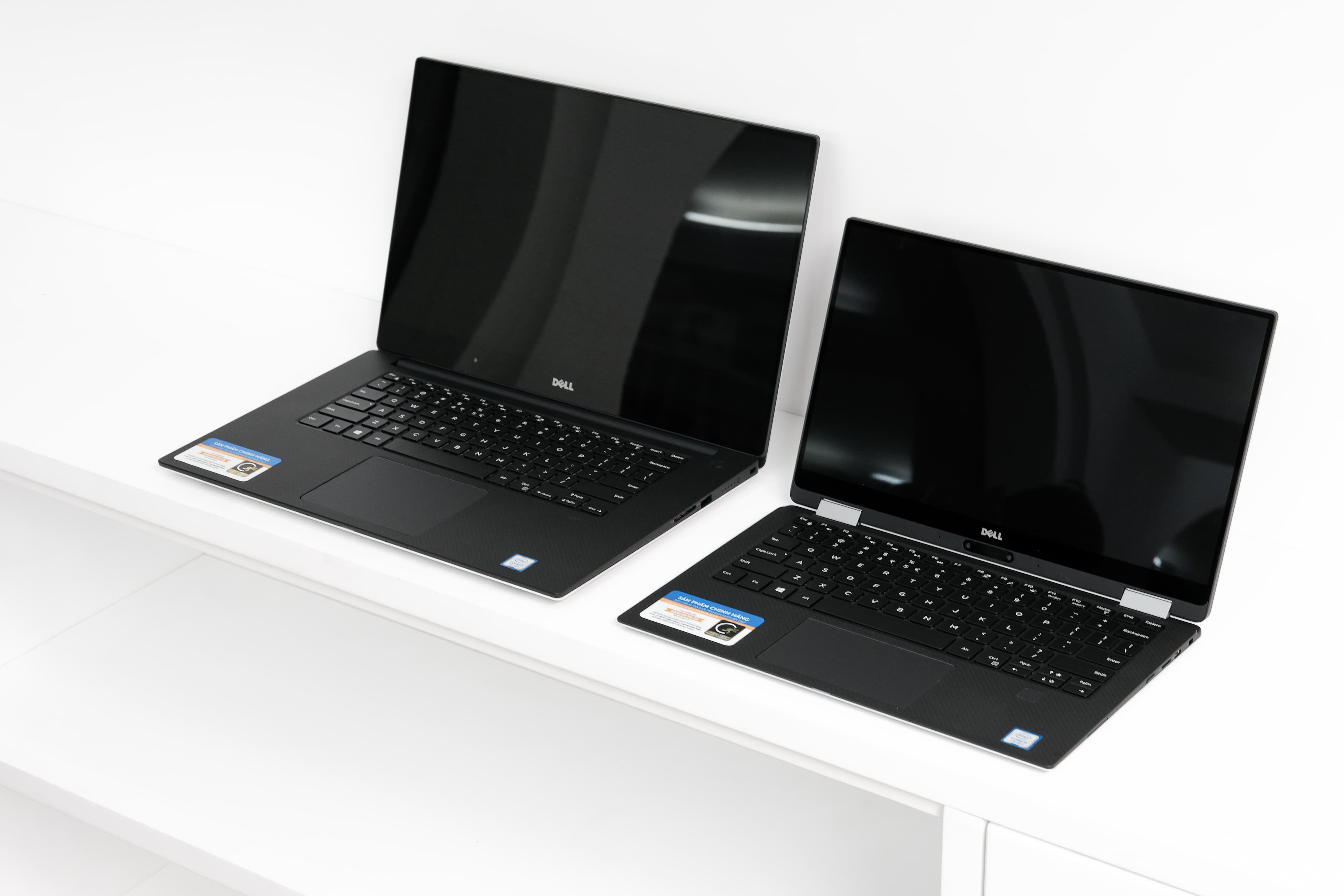
Dell XPS 16 (9640) vs HP Chromebook Plus x360 14
Dell's XPS 16 targets power users needing serious performance, while HP's Chromebook Plus x360 serves students and light-duty users. Performance heavily favors the XPS 16, which pairs a 16-core Intel Core Ultra 7 155H with 16GB LPDDR5x RAM against the Chromebook's modest Core i3-N305 and 8GB configuration. Display quality tilts toward Dell with its 500-nit brightness and superior color accuracy, whereas HP's touchscreen adds versatility for casual work. Battery life runs similar (13 vs 12 hours), but Dell's 99.5Wh cell powers demanding applications, while HP's 56Wh suffices for web browsing and documents. Storage differs dramatically: Dell offers 512GB expandable NVMe; HP provides only 256GB non-expandable UFS. At $1,899 versus $449, the price gulf reflects their entirely different markets. Choose Dell for professional work, video editing, or gaming; select HP for budget-conscious students prioritizing portability and simplicity.
Full Specifications
| Spec | Dell XPS 16 (9640) | HP Chromebook Plus x360 14 |
|---|---|---|
| Software | Windows 11 Home | ChromeOS |
| Body | ||
| Weight | 2.13 kg | 3.35 lbs (1.52 kg) |
| Material | CNC aluminum and carbon fiber | Aluminum |
| Dimensions | 358.1 x 240.1 x 18.7 mm | 12.73 x 8.86 x 0.7 inches |
| Ports | ||
| SD card | ||
| Thunderbolt ports | 3 | — |
| HDMI | — | |
| USB-A ports | — | 1 |
| USB-C ports | — | 2 |
| Battery | ||
| Battery life | Up to 13 hours mixed use | Up to 12 hours |
| Capacity | 99.5 Wh | 56 Wh |
| Display | ||
| Size | 16.3 inches | 14 inches |
| Type | InfinityEdge IPS non-touch | IPS touchscreen |
| Resolution | 1920 x 1200 | 1920 x 1200 |
| Refresh rate | 60Hz | 60Hz |
| Brightness (nits) | 500 | 300 |
| Storage | ||
| SSD | 512 GB NVMe | 256 GB UFS |
| Expandable storage | ||
| Keyboard | ||
| Backlit | ||
| Processor | ||
| RAM | 16 GB LPDDR5x | 8 GB LPDDR5 |
| Cores | 16-core (6P+8E+2LPE) | 8 cores (8E) |
| Chipset | Intel Core Ultra 7 155H | Intel Core i3-N305 |
Category Scores
Pros & Cons
Dell XPS 16 (9640)
Pros
- Premium CNC aluminum chassis with edge-to-edge keyboard
- Optional 4K OLED touch display available
- Powerful Core Ultra and RTX 4050-4070 GPU options
- Large 99.5 Wh battery
- Three Thunderbolt 4 ports
Cons
- No USB-A, HDMI, or SD card slot
- Capacitive touch function row is divisive
- Invisible haptic trackpad takes adjustment
- Heavy and runs hot under load
- Mediocre battery life with discrete GPU
HP Chromebook Plus x360 14
Pros
- Google's Chromebook Plus standard guarantees AI features and performance minimums
- 360-degree hinge for laptop, tent, and tablet modes
- 12-hour battery life handles a full school or work day
- Aluminum build feels premium for a Chromebook
- ChromeOS is fast, secure, and auto-updating
Cons
- 8 GB RAM and 256 GB storage is not expandable
- ChromeOS can't run traditional Windows apps
- No HDMI port — USB-C to HDMI adapter needed
- 60Hz FHD+ display is basic compared to similarly-priced Windows laptops
Related Comparisons
Explore more in laptops, see all Dell products or all HP products. View full details for the Dell XPS 16 (9640) or the HP Chromebook Plus x360 14.