Dell XPS 14 (9440) vs Lenovo ThinkPad X1 Carbon Gen 13

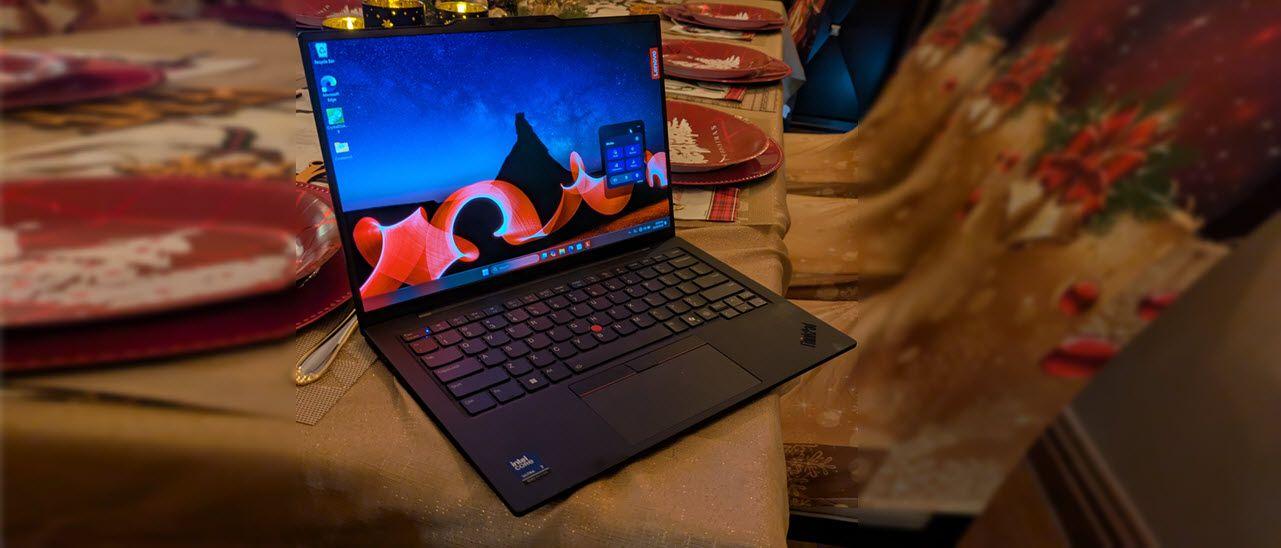
The Verdict
Dell's XPS 14 delivers superior processing power with its 16-core Intel Core Ultra 7 155H versus Lenovo's 8-core Ultra 7 265V, making it better for demanding workloads and creative applications. Display brightness favors Dell at 500 nits compared to Lenovo's 400 nits, though both share identical 1920x1200 resolution on 14-inch screens. Lenovo counters with exceptional portability at 1.12 kg versus Dell's 1.74 kg, plus longer claimed battery life of 15 hours. Storage and RAM match at 16GB and 512GB respectively, but Lenovo's non-expandable drive is restrictive for long-term upgrades. Dell includes SD card and three Thunderbolt ports for connectivity flexibility; Lenovo offers HDMI but only two USB-C ports. At $1699 versus $1449, Dell justifies the premium through raw performance and expandability, while Lenovo excels for ultraportable professionals prioritizing battery longevity. For power users needing sustained multitasking, the XPS 14 edges ahead; for mobile warriors, Lenovo's X1 Carbon wins.
Who Should Buy
Buy the Dell XPS 14 (9440) if…
- →Striking minimalist CNC aluminum design
- →Optional 3.2K OLED touch display
- →Optional discrete RTX 4050 GPU
Buy the Lenovo ThinkPad X1 Carbon Gen 13 if…
- →Intel Core Ultra 7 with NPU for on-device AI processing
- →Under 2.5 lbs — one of the lightest 14-inch business laptops
- →ThinkPad keyboard remains the gold standard for typing
Category Scores
Pros & Cons
Dell XPS 14 (9440)
Pros
- Striking minimalist CNC aluminum design
- Optional 3.2K OLED touch display
- Optional discrete RTX 4050 GPU
- Three Thunderbolt 4 ports plus microSD
- Excellent quad speaker setup
Cons
- No USB-A or HDMI ports
- Capacitive function row lacks tactile feedback
- Seamless haptic touchpad has no visible borders
- Battery life below class-leading ultrabooks
- Premium price for the base configuration
Lenovo ThinkPad X1 Carbon Gen 13
Pros
- Intel Core Ultra 7 with NPU for on-device AI processing
- Under 2.5 lbs — one of the lightest 14-inch business laptops
- ThinkPad keyboard remains the gold standard for typing
- MIL-STD-810H durability tested for enterprise reliability
- Built-in HDMI port eliminates the need for dongles
Cons
- FHD+ base display is disappointing at $1,449
- LPDDR5X RAM is soldered — not user-upgradeable
- No SD card reader for photographers
- Intel Core Ultra efficiency modes can occasionally stutter
Full Specifications
| Spec | Dell XPS 14 (9440) | Lenovo ThinkPad X1 Carbon Gen 13 |
|---|---|---|
| Software | Windows 11 Home | Windows 11 Pro |
| Body | ||
| Weight | 1.74 kg | 2.48 lbs (1.12 kg) |
| Material | CNC aluminum and carbon fiber | Carbon fiber and magnesium |
| Dimensions | 320.0 x 215.5 x 18.0 mm | 12.4 x 8.76 x 0.59 inches |
| Ports | ||
| SD card | ||
| Thunderbolt ports | 3 | 2 |
| HDMI | — | |
| USB-C ports | — | 2 |
| Battery | ||
| Battery life | Up to 12 hours mixed use | Up to 15 hours |
| Capacity | 69.5 Wh | 57 Wh |
| Display | ||
| Size | 14.5 inches | 14 inches |
| Type | InfinityEdge IPS non-touch | IPS anti-glare |
| Resolution | 1920 x 1200 | 1920 x 1200 |
| Refresh rate | 60Hz | 60Hz |
| Brightness (nits) | 500 | 400 |
| Storage | ||
| SSD | 512 GB NVMe | 512 GB PCIe Gen 4 NVMe |
| Expandable storage | ||
| Keyboard | ||
| Backlit | ||
| Processor | ||
| RAM | 16 GB LPDDR5x | 16 GB |
| Cores | 16-core (6P+8E+2LPE) | 8 cores (4P + 4E) |
| Chipset | Intel Core Ultra 7 155H | Intel Core Ultra 7 265V |
Related Comparisons
- Lenovo ThinkPad X1 Carbon Gen 13 vs Samsung Galaxy Book3 Ultra
- Lenovo ThinkPad X1 Carbon Gen 13 vs Razer Blade Stealth 13
- Lenovo ThinkPad X1 Carbon Gen 13 vs Razer Blade 18
- Lenovo ThinkPad X1 Carbon Gen 13 vs MSI Prestige 16 Evo
- Lenovo ThinkPad X1 Carbon Gen 13 vs MSI Katana 15
- Lenovo ThinkPad X1 Carbon Gen 13 vs MSI GE76 Raider
This comparison is based on verified manufacturer specifications covering display, performance, camera, battery, and build quality. Scores are generated by analyzing specs across weighted categories on a 10-point scale. Learn more about our methodology.
Explore more in laptops, see all Dell products or all Lenovo products. View full details for the Dell XPS 14 (9440) or the Lenovo ThinkPad X1 Carbon Gen 13.