Dell XPS 13 (2025) vs Framework Laptop 16 (2024, Ryzen 7040)

The Verdict
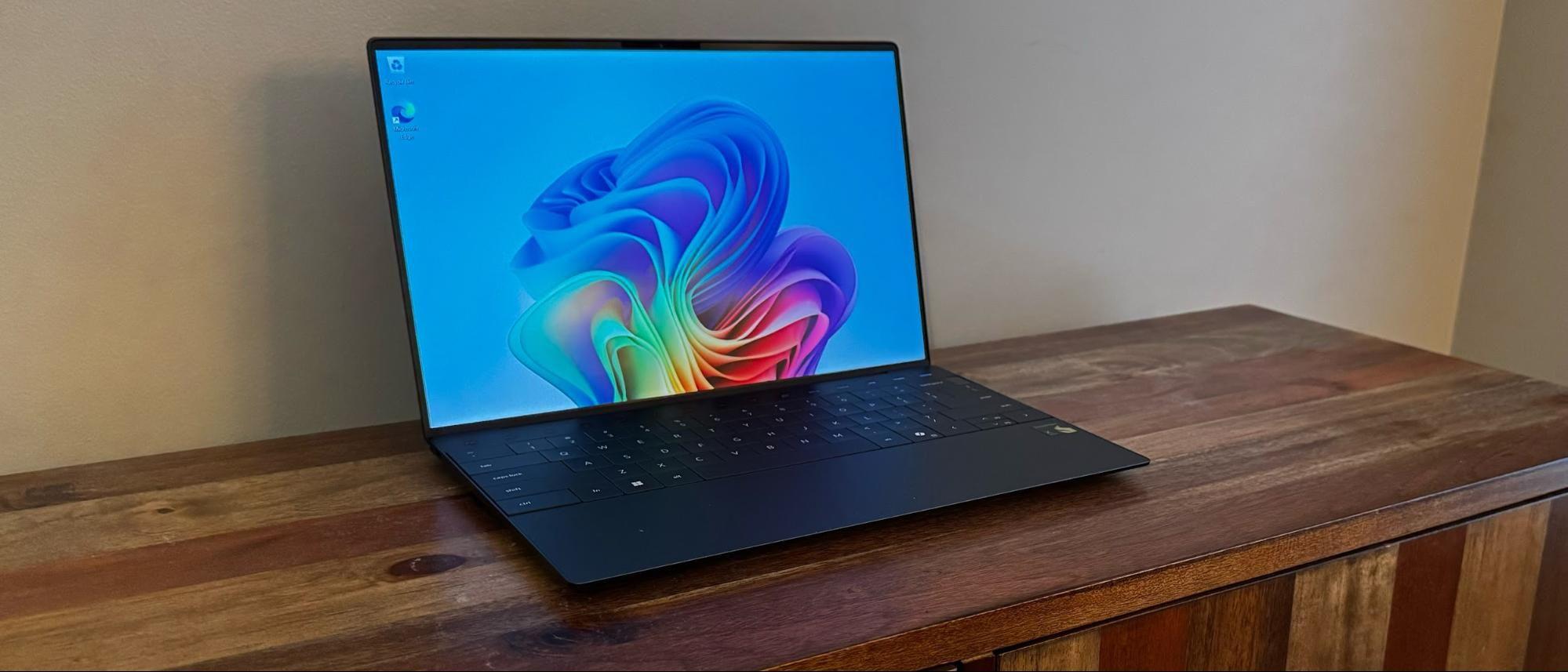
Dell's XPS 13 excels as an ultraportable with its featherweight 2.6-lb chassis, stunning OLED display at 400 nits, and Intel Core Ultra 7 265V delivering solid everyday performance. Battery life reaches 14 hours,substantial for daily use. Framework's 16-inch model counters with a significantly larger matte IPS screen (2560×1600, 165Hz), superior 165Hz refresh rate for creative work, and exceptional modularity with 6 USB-C ports and expandable storage up to 8TB. AMD Ryzen 7 7840HS offers stronger multicore performance. However, Framework weighs 4.6 lbs with 10-hour battery life, trading portability for capability. Choose the XPS 13 if ultraportability and battery longevity matter most; select Framework 16 if you need creative screen real estate, gaming-friendly refresh rates, and future-proof upgrade pathways.
Who Should Buy
Buy the Dell XPS 13 (2025) if…
- →13.4-inch OLED display with perfect blacks and vivid color
- →Intel Core Ultra 7 with NPU for Copilot+ features
- →Incredibly light at 2.6 lbs in a premium aluminum body
Buy the Framework Laptop 16 (2024, Ryzen 7040) if…
- →Fully modular and user-repairable design
- →Configurable expansion card port system
- →Optional discrete Radeon RX 7700S GPU module
Category Scores
Pros & Cons
Dell XPS 13 (2025)
Pros
- 13.4-inch OLED display with perfect blacks and vivid color
- Intel Core Ultra 7 with NPU for Copilot+ features
- Incredibly light at 2.6 lbs in a premium aluminum body
- Two Thunderbolt 4 ports for high-speed peripherals
- Near-borderless InfinityEdge display maximizes screen-to-body ratio
Cons
- Only two USB-C ports — no USB-A, HDMI, or SD card slot
- 60Hz OLED limits smooth scrolling
- Keyboard has controversial zero-travel function row
- Fan noise is noticeable under sustained load
Framework Laptop 16 (2024, Ryzen 7040)
Pros
- Fully modular and user-repairable design
- Configurable expansion card port system
- Optional discrete Radeon RX 7700S GPU module
- User-upgradeable RAM, SSD, keyboard, and bezel
- Strong Linux support and right-to-repair philosophy
Cons
- Expensive once GPU module is added
- Heavier and thicker than mainstream 16-inch laptops
- Battery life modest with discrete GPU
- No Thunderbolt certification (USB4 only)
- Speakers are underwhelming
Full Specifications
| Spec | Dell XPS 13 (2025) | Framework Laptop 16 (2024, Ryzen 7040) |
|---|---|---|
| Software | Windows 11 | Windows 11 Home or Linux |
| Body | ||
| Weight | 2.6 lbs (1.17 kg) | 2.1 kg |
| Material | Aluminum and woven glass fiber | CNC aluminum |
| Dimensions | 11.63 x 7.84 x 0.57 inches | 356.58 x 270.41 x 20.95 mm |
| Ports | ||
| USB-C ports | 2 | 6 |
| Thunderbolt ports | 2 | 0 |
| HDMI | — | 1 |
| USB-A ports | — | 2 |
| SD card | — | |
| Battery | ||
| Battery life | Up to 14 hours | Up to 10 hours |
| Capacity | 55 Wh | 85 Wh |
| Display | ||
| Size | 13.4 inches | 16 inches |
| Type | OLED | Matte IPS, 16:10 |
| Resolution | 2560 x 1600 | 2560 x 1600 |
| Refresh rate | 60Hz | 165Hz |
| Brightness (nits) | 400 | 500 |
| Storage | ||
| SSD | 512 GB PCIe Gen 4 NVMe | 512 GB PCIe 4.0 NVMe (up to 8 TB) |
| Expandable storage | ||
| Keyboard | ||
| Backlit | ||
| Processor | ||
| RAM | 16 GB LPDDR5X | 16 GB DDR5-5600 (up to 64 GB) |
| Cores | 8 cores (4P + 4E) | 8 cores / 16 threads |
| Chipset | Intel Core Ultra 7 265V | AMD Ryzen 7 7840HS |
Related Comparisons
- Framework Laptop 16 (2024, Ryzen 7040) vs Microsoft Surface Laptop 5
- Framework Laptop 16 (2024, Ryzen 7040) vs LG gram 14 (2024)
- Framework Laptop 16 (2024, Ryzen 7040) vs Lenovo Yoga Slim 7 Gen 8 14"
- Framework Laptop 16 (2024, Ryzen 7040) vs Lenovo ThinkPad X1 Carbon Gen 11
- Framework Laptop 16 (2024, Ryzen 7040) vs HP Spectre x360 14 (2023)
- Framework Laptop 16 (2024, Ryzen 7040) vs HP Envy x360 14 (2024)
This comparison is based on verified manufacturer specifications covering display, performance, camera, battery, and build quality. Scores are generated by analyzing specs across weighted categories on a 10-point scale. Learn more about our methodology.
Explore more in laptops, see all Dell products or all Framework products. View full details for the Dell XPS 13 (2025) or the Framework Laptop 16 (2024, Ryzen 7040).