Dell XPS 13 (2025) vs Dell XPS 14 (9440)
The Verdict
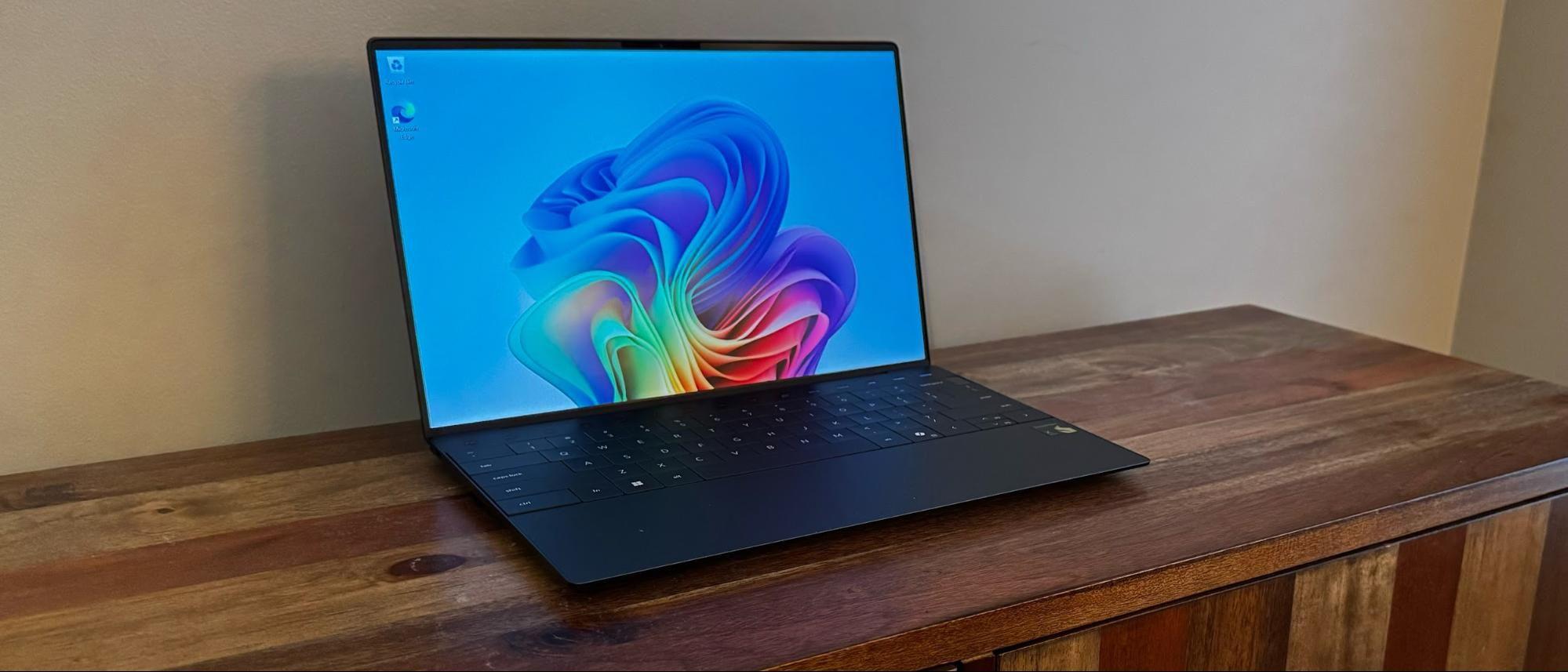
Dell's 2025 XPS 13 delivers a premium ultraportable experience with its stunning 13.4-inch OLED display (2560x1600, 400 nits) and exceptional 14-hour battery life, weighing just 2.6 lbs. Its Intel Core Ultra 7 265V with 8 cores handles everyday tasks efficiently, though the 512GB storage isn't expandable. Conversely, the XPS 14 (9440) offers a larger 14.5-inch IPS screen with higher brightness (500 nits), superior processing power via the 16-core Core Ultra 7 155H, and SD card expansion,making it better for content creators and multitaskers. However, it's heavier (3.83 lbs) with slightly shorter battery life (12 hours). At $1,299 versus $1,699, the XPS 13 excels for mobile professionals prioritizing portability and screen quality, while the XPS 14 justifies its premium for users needing raw performance and expandability. Choose the 13 for travel; pick the 14 for creative work.
Who Should Buy
Buy the Dell XPS 13 (2025) if…
- →13.4-inch OLED display with perfect blacks and vivid color
- →Intel Core Ultra 7 with NPU for Copilot+ features
- →Incredibly light at 2.6 lbs in a premium aluminum body
Buy the Dell XPS 14 (9440) if…
- →Striking minimalist CNC aluminum design
- →Optional 3.2K OLED touch display
- →Optional discrete RTX 4050 GPU
Category Scores
Pros & Cons
Dell XPS 13 (2025)
Pros
- 13.4-inch OLED display with perfect blacks and vivid color
- Intel Core Ultra 7 with NPU for Copilot+ features
- Incredibly light at 2.6 lbs in a premium aluminum body
- Two Thunderbolt 4 ports for high-speed peripherals
- Near-borderless InfinityEdge display maximizes screen-to-body ratio
Cons
- Only two USB-C ports — no USB-A, HDMI, or SD card slot
- 60Hz OLED limits smooth scrolling
- Keyboard has controversial zero-travel function row
- Fan noise is noticeable under sustained load
Dell XPS 14 (9440)
Pros
- Striking minimalist CNC aluminum design
- Optional 3.2K OLED touch display
- Optional discrete RTX 4050 GPU
- Three Thunderbolt 4 ports plus microSD
- Excellent quad speaker setup
Cons
- No USB-A or HDMI ports
- Capacitive function row lacks tactile feedback
- Seamless haptic touchpad has no visible borders
- Battery life below class-leading ultrabooks
- Premium price for the base configuration
Full Specifications
| Spec | Dell XPS 13 (2025) | Dell XPS 14 (9440) |
|---|---|---|
| Software | Windows 11 | Windows 11 Home |
| Body | ||
| Weight | 2.6 lbs (1.17 kg) | 1.74 kg |
| Material | Aluminum and woven glass fiber | CNC aluminum and carbon fiber |
| Dimensions | 11.63 x 7.84 x 0.57 inches | 320.0 x 215.5 x 18.0 mm |
| Ports | ||
| USB-C ports | 2 | — |
| Thunderbolt ports | 2 | 3 |
| SD card | — | |
| Battery | ||
| Battery life | Up to 14 hours | Up to 12 hours mixed use |
| Capacity | 55 Wh | 69.5 Wh |
| Display | ||
| Size | 13.4 inches | 14.5 inches |
| Type | OLED | InfinityEdge IPS non-touch |
| Resolution | 2560 x 1600 | 1920 x 1200 |
| Refresh rate | 60Hz | 60Hz |
| Brightness (nits) | 400 | 500 |
| Storage | ||
| SSD | 512 GB PCIe Gen 4 NVMe | 512 GB NVMe |
| Expandable storage | ||
| Keyboard | ||
| Backlit | ||
| Processor | ||
| RAM | 16 GB LPDDR5X | 16 GB LPDDR5x |
| Cores | 8 cores (4P + 4E) | 16-core (6P+8E+2LPE) |
| Chipset | Intel Core Ultra 7 265V | Intel Core Ultra 7 155H |
Related Comparisons
This comparison is based on verified manufacturer specifications covering display, performance, camera, battery, and build quality. Scores are generated by analyzing specs across weighted categories on a 10-point scale. Learn more about our methodology.
Explore more in laptops, see all Dell products or all Dell products. View full details for the Dell XPS 13 (2025) or the Dell XPS 14 (9440).