ASUS ROG Ally X vs Razer Blade 16 (2024)

The Verdict
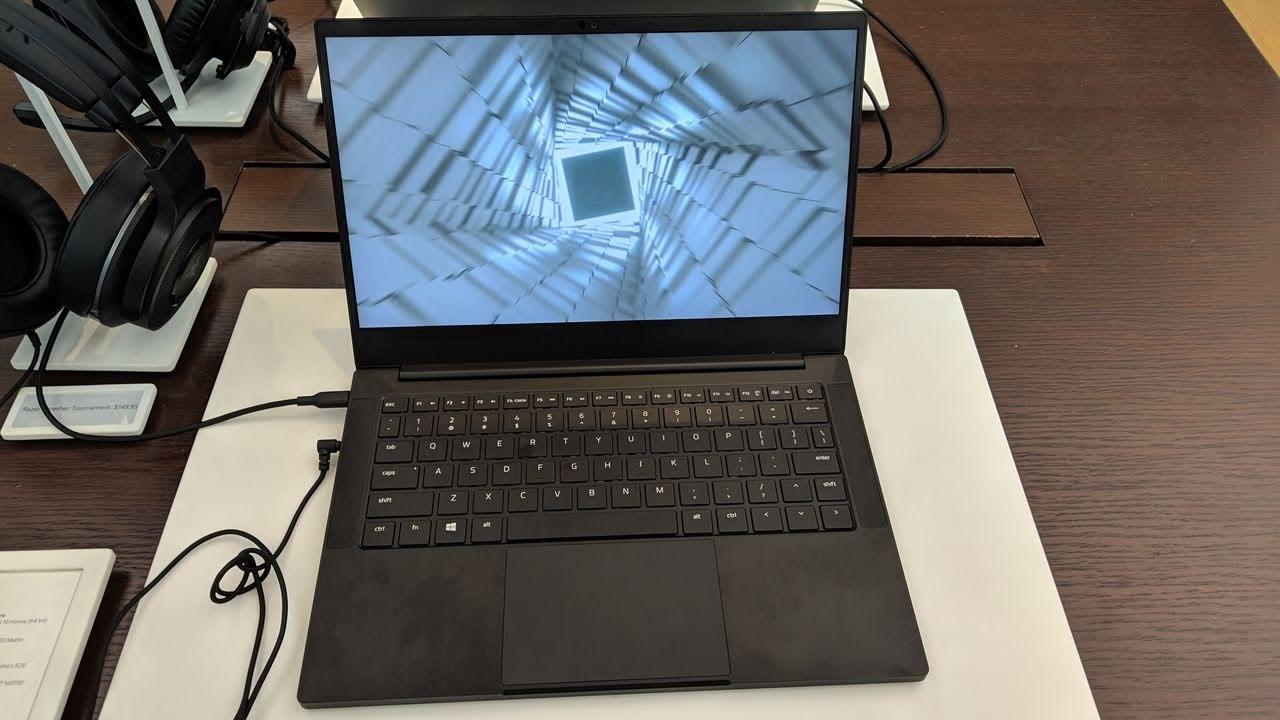
Comparing these devices requires understanding they serve entirely different purposes. ASUS ROG Ally X is a portable gaming handheld with a 7-inch 120Hz IPS display, AMD Ryzen Z1 Extreme processor, 24GB RAM, and 80Wh battery delivering 3-10 hours depending on games played. Razer Blade 16 is a full-featured workstation laptop featuring a 16-inch 240Hz OLED screen, Intel Core i9-14900HX with 24 cores, 32GB DDR5 RAM, and superior build quality in CNC aluminum. Performance-wise, the Blade 16 dominates for productivity and demanding applications, while the Ally X excels at handheld gaming convenience. Battery life favors the handheld at typical gaming loads. Portability strongly favors the 678g Ally X over the 2.45kg Blade 16. For creative professionals needing power and screen real estate, choose the Razer. For portable gaming and emulation enthusiasts, the ASUS wins decisively.
Who Should Buy
Buy the ASUS ROG Ally X if…
- →Massive 80 Wh battery doubles the Ally's endurance to 3-10 hours
- →24 GB LPDDR5x RAM is generous for gaming and multitasking
- →1 TB SSD is double the original — more room for games
Buy the Razer Blade 16 (2024) if…
- →Top-tier RTX 40-series GPU options up to RTX 4090
- →Gorgeous QHD+ 240Hz OLED display
- →Premium CNC aluminum chassis with slim profile
Category Scores
Pros & Cons
ASUS ROG Ally X
Pros
- Massive 80 Wh battery doubles the Ally's endurance to 3-10 hours
- 24 GB LPDDR5x RAM is generous for gaming and multitasking
- 1 TB SSD is double the original — more room for games
- Two USB-C ports allow charging while connecting accessories
- Improved ergonomic grips and button layout over original Ally
Cons
- Heavier at 678 g due to the larger battery
- Same Z1 Extreme chip — no generational performance leap
- Removed microSD slot compared to original ROG Ally
- IPS LCD still lacks OLED contrast and HDR capability
- $799 puts it close to full laptop pricing territory
Razer Blade 16 (2024)
Pros
- Top-tier RTX 40-series GPU options up to RTX 4090
- Gorgeous QHD+ 240Hz OLED display
- Premium CNC aluminum chassis with slim profile
- Comprehensive port selection including SD card and HDMI 2.1
Cons
- Very expensive even at base configuration
- Battery life is short under any real workload
- Runs hot and loud during gaming sessions
- Heavy for a 16-inch laptop intended to be portable
Full Specifications
| Spec | ASUS ROG Ally X | Razer Blade 16 (2024) |
|---|---|---|
| Software | Windows 11 | Windows 11 Home |
| Body | ||
| Weight | 678 g | 2.45 kg |
| Material | Plastic chassis with improved ergonomics | CNC aluminum unibody |
| Dimensions | 280.0 x 114.0 x 36.9 mm | 355 x 235 x 21.99 mm |
| Ports | ||
| USB-C ports | 2 | 2 |
| Microsd | — | |
| Headphone Jack | — | |
| HDMI | — | 1 |
| USB-A ports | — | 3 |
| SD card | — | |
| Thunderbolt ports | — | 2 |
| Memory | ||
| Storage options | 1 TB PCIe Gen 4 NVMe SSD | — |
| Battery | ||
| Battery life | 3-10 hours (game dependent) | Up to 6 hours |
| Capacity | 80 Wh | 95.2 Wh |
| Display | ||
| Size | 7 inches | 16 inches |
| Type | IPS LCD | OLED |
| Resolution | 1920 x 1080 | 2560 x 1600 |
| Refresh rate | 120Hz | 240Hz |
| Brightness (nits) | 500 | 400 |
| Processor | ||
| RAM | 24 GB LPDDR5x (7500 MT/s) | 32 GB DDR5 |
| Cores | 8-core CPU, RDNA 3 (12 CUs) integrated GPU | 24 cores |
| Chipset | AMD Ryzen Z1 Extreme (Zen 4, 8-core / 16-thread, up to 5.1 GHz) | Intel Core i9-14900HX |
| Connectivity | ||
| Wi-Fi | Wi-Fi 6E | — |
| Bluetooth | 5.2 | — |
| Storage | ||
| SSD | — | 1 TB |
| Expandable storage | — | |
| Keyboard | ||
| Backlit | — | |
Related Comparisons
This comparison is based on verified manufacturer specifications covering display, performance, camera, battery, and build quality. Scores are generated by analyzing specs across weighted categories on a 10-point scale. Learn more about our methodology.
Explore more in laptops, see all ASUS products or all Razer products. View full details for the ASUS ROG Ally X or the Razer Blade 16 (2024).
Press ? for keyboard shortcuts