Acer Nitro V 15 vs Lenovo Yoga Slim 7 Gen 8 14"

The Verdict
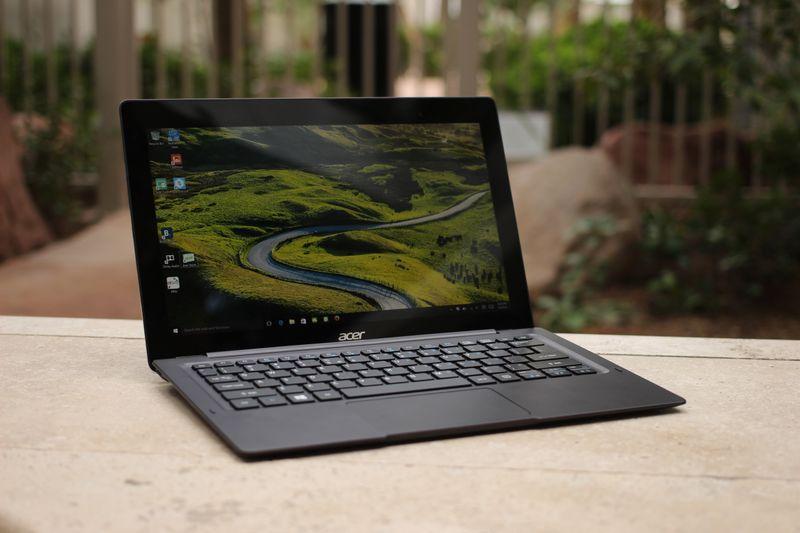
Acer Nitro V 15 prioritizes gaming with a 144Hz display and Intel i5-13420H processor, making it ideal for competitive gameplay at an aggressive $699 price point. Lenovo Yoga Slim 7 Gen 8 shifts focus toward productivity and creativity with a stunning 2880x1800 OLED panel, more powerful i7-13700H processor with 14 cores, and exceptional 14-hour battery life on IPS mode. Build quality heavily favors Lenovo's premium aluminum construction versus Acer's plastic chassis. While Acer offers better gaming refresh rates and costs $300 less, Lenovo delivers superior overall performance, stunning visuals, portability at 1.37kg, and professional capabilities. Choose Acer for budget gaming; select Lenovo for versatile productivity and content creation work.
Who Should Buy
Buy the Acer Nitro V 15 if…
- →RTX 4050 Laptop GPU for 1080p gaming at under $700
- →144Hz display is smooth for competitive games
- →Expandable storage and RAM slots for future upgrades
Buy the Lenovo Yoga Slim 7 Gen 8 14" if…
- →2.8K OLED display at $999 is exceptional value for creators
- →i7-13700H offers strong multithread performance
- →Lightweight at 1.37 kg for a 14-inch OLED ultrabook
Category Scores
Pros & Cons
Acer Nitro V 15
Pros
- RTX 4050 Laptop GPU for 1080p gaming at under $700
- 144Hz display is smooth for competitive games
- Expandable storage and RAM slots for future upgrades
- Decent port selection with full-size HDMI
- Most affordable way to get RTX 40-series gaming performance
Cons
- Only 8 GB RAM — should be upgraded to 16 GB
- Plasticky build quality feels budget
- 300-nit display is dim and washes out in bright rooms
- Fan noise is loud during gaming sessions
Lenovo Yoga Slim 7 Gen 8 14"
Pros
- 2.8K OLED display at $999 is exceptional value for creators
- i7-13700H offers strong multithread performance
- Lightweight at 1.37 kg for a 14-inch OLED ultrabook
- Good port selection with USB-A and HDMI
- Premium aluminum build quality
Cons
- OLED option cuts battery life to around 9 hours
- No Thunderbolt 4 — USB-C ports are USB 3.2
- Soldered RAM cannot be upgraded
- Speakers are average for the price class
- 90Hz instead of 120Hz on the OLED panel
Full Specifications
| Spec | Acer Nitro V 15 | Lenovo Yoga Slim 7 Gen 8 14" |
|---|---|---|
| Software | Windows 11 Home | Windows 11 Home |
| Body | ||
| Weight | 4.85 lbs (2.2 kg) | 1.37 kg |
| Material | Plastic | Aluminum unibody |
| Dimensions | 14.19 x 10.24 x 0.89 inches | 312.2 x 221.4 x 14.9 mm |
| Ports | ||
| HDMI | 1 | |
| USB-A ports | 2 | 1 |
| USB-C ports | 1 | 2 |
| SD card | — | |
| Headphone Jack | — | |
| Battery | ||
| Battery life | Up to 6 hours | Up to 14 hours (IPS) / 9 hours (OLED) |
| Capacity | 57 Wh | 60 Wh |
| Display | ||
| Size | 15.6 inches | 14 inches |
| Type | IPS | OLED |
| Resolution | 1920 x 1080 | 2880 x 1800 |
| Refresh rate | 144Hz | 90Hz |
| Brightness (nits) | 300 | 400 |
| Storage | ||
| SSD | 512 GB PCIe Gen 4 NVMe | 512 GB / 1 TB PCIe Gen 4 NVMe |
| Expandable storage | ||
| Keyboard | ||
| Backlit | ||
| Processor | ||
| RAM | 8 GB DDR5 | 16 GB LPDDR5 |
| Cores | 8 cores (4P + 4E) | 14-core (6P + 8E) |
| Chipset | Intel Core i5-13420H | 13th Gen Intel Core i7-13700H |
Related Comparisons
- Lenovo Yoga Slim 7 Gen 8 14" vs Valve Steam Deck OLED
- Lenovo Yoga Slim 7 Gen 8 14" vs Samsung Galaxy Book5 Pro
- Lenovo Yoga Slim 7 Gen 8 14" vs Samsung Galaxy Book4 Pro 360
- Lenovo Yoga Slim 7 Gen 8 14" vs Samsung Galaxy Book4 Pro
- Lenovo Yoga Slim 7 Gen 8 14" vs Samsung Galaxy Book4 360
- Lenovo Yoga Slim 7 Gen 8 14" vs Samsung Galaxy Book4 15"
This comparison is based on verified manufacturer specifications covering display, performance, camera, battery, and build quality. Scores are generated by analyzing specs across weighted categories on a 10-point scale. Learn more about our methodology.
Explore more in laptops, see all Acer products or all Lenovo products. View full details for the Acer Nitro V 15 or the Lenovo Yoga Slim 7 Gen 8 14".