Acer Nitro V 15 vs ASUS ROG Flow Z13 (2024)
The Verdict
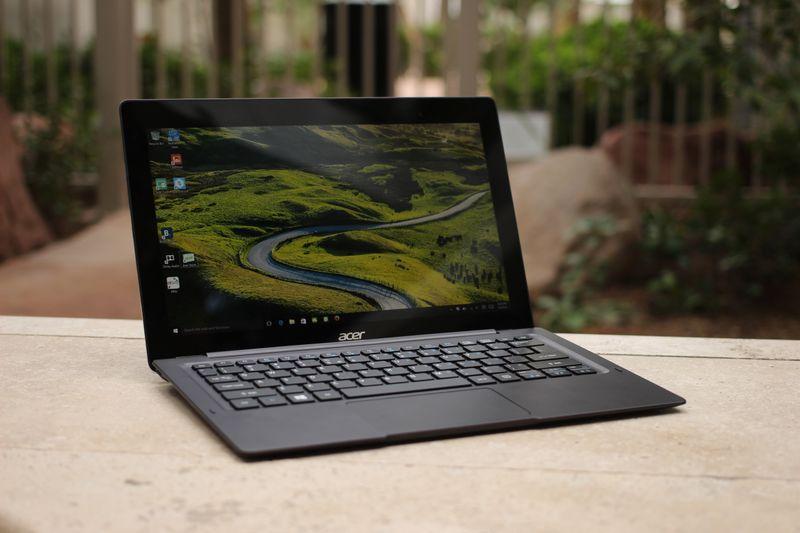
Acer's Nitro V 15 serves budget-conscious gamers seeking 1080p/144Hz performance at $699, pairing an Intel i5-13420H with 8GB DDR5 and 512GB SSD,solid foundations for esports titles and indie games. ASUS ROG Flow Z13 (2024) operates in a completely different tier: at $1,799, its premium aluminum chassis, 13.4-inch 2560x1600/165Hz display, and Intel i9-14900H with 16GB LPDDR5X target creative professionals and serious content creators. Battery life barely differs (6 vs 5 hours), but the ROG's superior brightness (500 nits), higher resolution, and doubled RAM with superior processor architecture justify its premium positioning. Port selection favors ASUS (Thunderbolt, SD card, USB-C), while Acer prioritizes legacy connectivity. For 1440p gaming and competitive esports within a tight budget, Nitro V 15 excels. For ultraportable workstation versatility blending gaming and productivity, Flow Z13 dominates. Choose based on your budget and whether portability matters,these serve entirely different audiences.
Who Should Buy
Buy the Acer Nitro V 15 if…
- →RTX 4050 Laptop GPU for 1080p gaming at under $700
- →144Hz display is smooth for competitive games
- →Expandable storage and RAM slots for future upgrades
Buy the ASUS ROG Flow Z13 (2024) if…
- →RTX 4060 in a detachable tablet form factor — truly unique
- →165Hz touchscreen enables both gaming and creative pen input
- →Incredibly light at 2.43 lbs for a gaming-capable device
Category Scores
Pros & Cons
Acer Nitro V 15
Pros
- RTX 4050 Laptop GPU for 1080p gaming at under $700
- 144Hz display is smooth for competitive games
- Expandable storage and RAM slots for future upgrades
- Decent port selection with full-size HDMI
- Most affordable way to get RTX 40-series gaming performance
Cons
- Only 8 GB RAM — should be upgraded to 16 GB
- Plasticky build quality feels budget
- 300-nit display is dim and washes out in bright rooms
- Fan noise is loud during gaming sessions
ASUS ROG Flow Z13 (2024)
Pros
- RTX 4060 in a detachable tablet form factor — truly unique
- 165Hz touchscreen enables both gaming and creative pen input
- Incredibly light at 2.43 lbs for a gaming-capable device
- XG Mobile eGPU support for desktop-class performance at home
- MUX switch for direct GPU rendering in games
Cons
- 5-hour battery life is very short
- Keyboard is detachable but feels cramped
- Fan noise is loud under gaming loads in such a thin chassis
- Expensive at $1,799 for a 13-inch gaming device
Full Specifications
| Spec | Acer Nitro V 15 | ASUS ROG Flow Z13 (2024) |
|---|---|---|
| Software | Windows 11 Home | Windows 11 Home |
| Body | ||
| Weight | 4.85 lbs (2.2 kg) | 2.43 lbs (1.1 kg) |
| Material | Plastic | CNC aluminum |
| Dimensions | 14.19 x 10.24 x 0.89 inches | 11.57 x 8.0 x 0.55 inches |
| Ports | ||
| HDMI | ||
| USB-A ports | 2 | 1 |
| USB-C ports | 1 | 1 |
| SD card | ||
| Thunderbolt ports | — | 1 |
| Battery | ||
| Battery life | Up to 6 hours | Up to 5 hours |
| Capacity | 57 Wh | 56 Wh |
| Display | ||
| Size | 15.6 inches | 13.4 inches |
| Type | IPS | IPS touchscreen |
| Resolution | 1920 x 1080 | 2560 x 1600 |
| Refresh rate | 144Hz | 165Hz |
| Brightness (nits) | 300 | 500 |
| Storage | ||
| SSD | 512 GB PCIe Gen 4 NVMe | 1 TB PCIe Gen 4 NVMe |
| Expandable storage | ||
| Keyboard | ||
| Backlit | ||
| Processor | ||
| RAM | 8 GB DDR5 | 16 GB LPDDR5X |
| Cores | 8 cores (4P + 4E) | 14 cores (6P + 8E) |
| Chipset | Intel Core i5-13420H | Intel Core i9-14900H |
Related Comparisons
- ASUS ROG Flow Z13 (2024) vs Microsoft Surface Laptop 5
- ASUS ROG Flow Z13 (2024) vs LG gram 14 (2024)
- ASUS ROG Flow Z13 (2024) vs Lenovo Yoga Slim 7 Gen 8 14"
- ASUS ROG Flow Z13 (2024) vs Lenovo ThinkPad X1 Carbon Gen 11
- ASUS ROG Flow Z13 (2024) vs HP Spectre x360 14 (2023)
- ASUS ROG Flow Z13 (2024) vs Dell XPS 14 (2023)
This comparison is based on verified manufacturer specifications covering display, performance, camera, battery, and build quality. Scores are generated by analyzing specs across weighted categories on a 10-point scale. Learn more about our methodology.
Explore more in laptops, see all Acer products or all ASUS products. View full details for the Acer Nitro V 15 or the ASUS ROG Flow Z13 (2024).