Acer Nitro V 15 vs Lenovo ThinkPad X1 Carbon Gen 12
Acer's Nitro V 15 targets budget-conscious gamers with a 144Hz 1920x1080 display and Intel Core i5-13420H processor, delivering solid 1080p gaming performance at an accessible price point. However, it suffers from modest 6-hour battery life, plastic construction, and only 8GB RAM. Lenovo's ThinkPad X1 Carbon Gen 12 represents a premium ultrabook experience with superior Intel Core Ultra 7 155H, 16GB LPDDR5X RAM, exceptional 13-hour battery endurance, premium carbon fiber-magnesium chassis, and sharper 1920x1200 anti-glare display—ideal for professionals prioritizing portability and productivity. While the Nitro excels for gaming on a budget, the ThinkPad's build quality, efficiency, and longevity justify its $1,030 premium. Choose the Nitro V 15 if gaming and refresh rate matter most; select the ThinkPad X1 Carbon Gen 12 for professional work requiring durability and all-day mobile productivity.
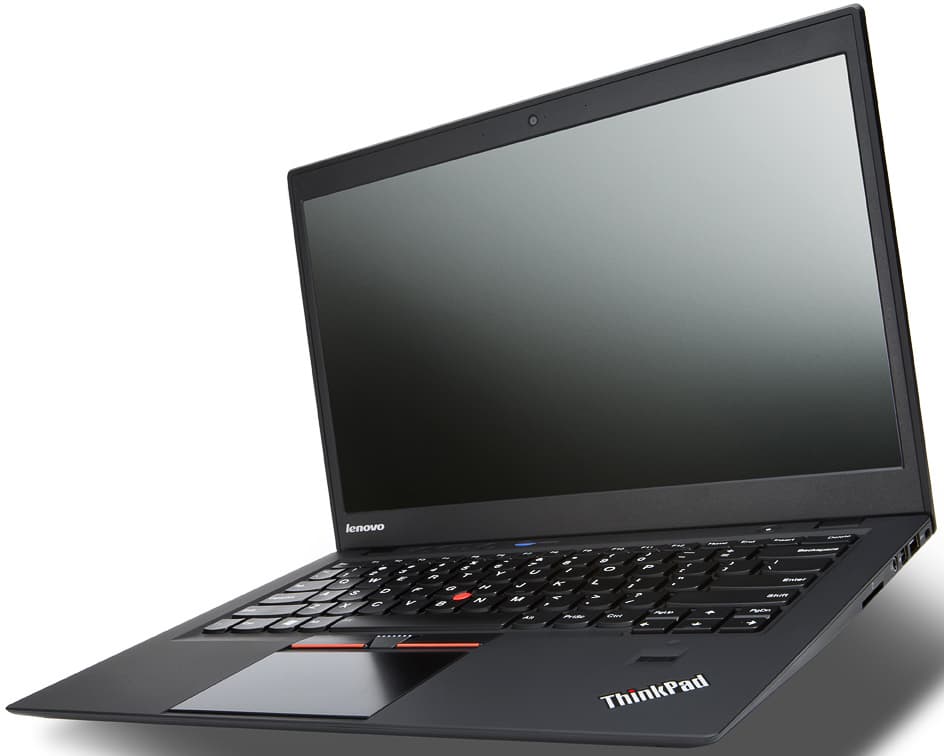
Full Specifications
| Spec | Acer Nitro V 15 | Lenovo ThinkPad X1 Carbon Gen 12 |
|---|---|---|
| Software | Windows 11 Home | Windows 11 Pro |
| Body | ||
| Weight | 4.85 lbs (2.2 kg) | 1.09 kg |
| Material | Plastic | Carbon fiber + magnesium |
| Dimensions | 14.19 x 10.24 x 0.89 inches | 312.8 x 215.0 x 14.96 mm |
| Ports | ||
| HDMI | 1 | |
| USB-A ports | 2 | 2 |
| USB-C ports | 1 | 2 |
| SD card | ||
| Thunderbolt ports | — | 2 |
| Battery | ||
| Battery life | Up to 6 hours | Up to 13 hours |
| Capacity | 57 Wh | 57 Wh |
| Display | ||
| Size | 15.6 inches | 14 inches |
| Type | IPS | IPS, anti-glare |
| Resolution | 1920 x 1080 | 1920 x 1200 |
| Refresh rate | 144Hz | — |
| Brightness (nits) | 300 | 400 |
| Storage | ||
| SSD | 512 GB PCIe Gen 4 NVMe | 512 GB |
| Expandable storage | ||
| Keyboard | ||
| Backlit | ||
| Processor | ||
| RAM | 8 GB DDR5 | 16 GB LPDDR5X |
| Cores | 8 cores (4P + 4E) | 16 cores |
| Chipset | Intel Core i5-13420H | Intel Core Ultra 7 155H |
Category Scores
Pros & Cons
Acer Nitro V 15
Pros
- RTX 4050 Laptop GPU for 1080p gaming at under $700
- 144Hz display is smooth for competitive games
- Expandable storage and RAM slots for future upgrades
- Decent port selection with full-size HDMI
- Most affordable way to get RTX 40-series gaming performance
Cons
- Only 8 GB RAM — should be upgraded to 16 GB
- Plasticky build quality feels budget
- 300-nit display is dim and washes out in bright rooms
- Fan noise is loud during gaming sessions
Lenovo ThinkPad X1 Carbon Gen 12
Pros
- Exceptionally light at 1.09 kg with durable carbon fiber chassis
- Best-in-class ThinkPad keyboard with excellent travel
- MIL-STD-810H tested for durability
- Strong business security with vPro and discrete TPM
Cons
- Premium price compared to similarly specced ultrabooks
- Base 1920x1200 IPS display is uninspiring vs OLED rivals
- Limited GPU performance for creative workloads
- Webcam quality still trails Surface and MacBook competitors
Related Comparisons
- Lenovo ThinkPad X1 Carbon Gen 12 vs Apple MacBook Pro 14" M4 Pro
- Lenovo ThinkPad X1 Carbon Gen 12 vs Apple MacBook Air 13" M3
- Lenovo ThinkPad X1 Carbon Gen 12 vs Dell XPS 16 (9640)
- Lenovo ThinkPad X1 Carbon Gen 12 vs Dell XPS 14 (9440)
- Lenovo ThinkPad X1 Carbon Gen 12 vs Lenovo IdeaPad Slim 5 16 (2024)
- Lenovo ThinkPad X1 Carbon Gen 12 vs HP Spectre x360 16 (2024)
Explore more in laptops, see all Acer products or all Lenovo products. View full details for the Acer Nitro V 15 or the Lenovo ThinkPad X1 Carbon Gen 12.