Acer Nitro V 15 vs Dell XPS 13 Plus (2024)
Acer's Nitro V 15 targets gaming enthusiasts with a 144Hz display and Intel i5-13420H processor, delivering strong performance for the $699 price point. Dell's XPS 13 Plus (2024) pursues professionals with its ultraportable 1.24kg aluminum chassis, superior 500-nits display, and more powerful Core Ultra 7 processor paired with 16GB RAM. Performance-wise, the XPS 13 Plus's newer architecture and extra cores provide better multitasking and productivity capabilities, though the Nitro V 15 excels in gaming scenarios due to its higher refresh rate. Portability decisively favors Dell's 13.4-inch design, while battery life significantly advantages the XPS at 12 hours versus 6 hours. The Acer offers traditional connectivity (HDMI, USB-A ports), whereas Dell relies solely on Thunderbolt. Budget-conscious buyers seeking gaming performance should choose the Nitro V 15; professionals prioritizing portability, battery endurance, and display quality will find the XPS 13 Plus worth the investment despite its $600 premium.
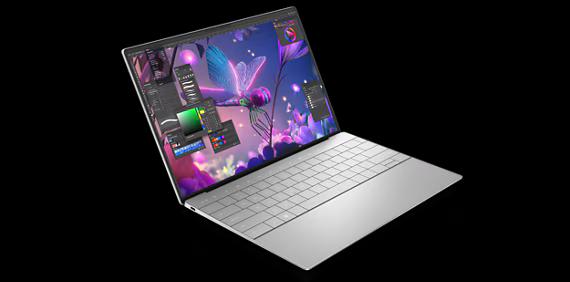
Full Specifications
| Spec | Acer Nitro V 15 | Dell XPS 13 Plus (2024) |
|---|---|---|
| Software | Windows 11 Home | Windows 11 Home |
| Body | ||
| Weight | 4.85 lbs (2.2 kg) | 1.24 kg |
| Material | Plastic | CNC aluminum |
| Dimensions | 14.19 x 10.24 x 0.89 inches | 295.3 x 199.0 x 15.3 mm |
| Ports | ||
| HDMI | 0 | |
| USB-A ports | 2 | — |
| USB-C ports | 1 | 0 |
| SD card | ||
| Thunderbolt ports | — | 2 |
| Battery | ||
| Battery life | Up to 6 hours | Up to 12 hours mixed use |
| Capacity | 57 Wh | 55 Wh |
| Display | ||
| Size | 15.6 inches | 13.4 inches |
| Type | IPS | InfinityEdge IPS non-touch |
| Resolution | 1920 x 1080 | 1920 x 1200 |
| Refresh rate | 144Hz | 60Hz |
| Brightness (nits) | 300 | 500 |
| Storage | ||
| SSD | 512 GB PCIe Gen 4 NVMe | 512 GB NVMe |
| Expandable storage | ||
| Keyboard | ||
| Backlit | ||
| Touch Bar | — | |
| Processor | ||
| RAM | 8 GB DDR5 | 16 GB LPDDR5x |
| Cores | 8 cores (4P + 4E) | 16-core (6P+8E+2LPE) |
| Chipset | Intel Core i5-13420H | Intel Core Ultra 7 155H |
Category Scores
Pros & Cons
Acer Nitro V 15
Pros
- RTX 4050 Laptop GPU for 1080p gaming at under $700
- 144Hz display is smooth for competitive games
- Expandable storage and RAM slots for future upgrades
- Decent port selection with full-size HDMI
- Most affordable way to get RTX 40-series gaming performance
Cons
- Only 8 GB RAM — should be upgraded to 16 GB
- Plasticky build quality feels budget
- 300-nit display is dim and washes out in bright rooms
- Fan noise is loud during gaming sessions
Dell XPS 13 Plus (2024)
Pros
- Remarkably thin and light at 1.24 kg
- Striking futuristic design with zero-lattice keyboard
- Strong Intel Core Ultra performance
- Excellent build quality with premium aluminum finish
- Optional 4K OLED upgrade available
Cons
- Only two Thunderbolt ports — no USB-A, HDMI, or SD card
- Capacitive function row lacks tactile feedback
- Soldered RAM and SSD cannot be upgraded
- Battery life is merely average for an ultrabook
- Haptic touchpad has invisible borders
Related Comparisons
- Dell XPS 13 Plus (2024) vs Apple MacBook Pro 14" M4 Pro
- Dell XPS 13 Plus (2024) vs Apple MacBook Air 13" M3
- Dell XPS 13 Plus (2024) vs Dell XPS 16 (9640)
- Dell XPS 13 Plus (2024) vs Dell XPS 14 (9440)
- Dell XPS 13 Plus (2024) vs Lenovo IdeaPad Slim 5 16 (2024)
- Dell XPS 13 Plus (2024) vs HP Spectre x360 16 (2024)
Explore more in laptops, see all Acer products or all Dell products. View full details for the Acer Nitro V 15 or the Dell XPS 13 Plus (2024).